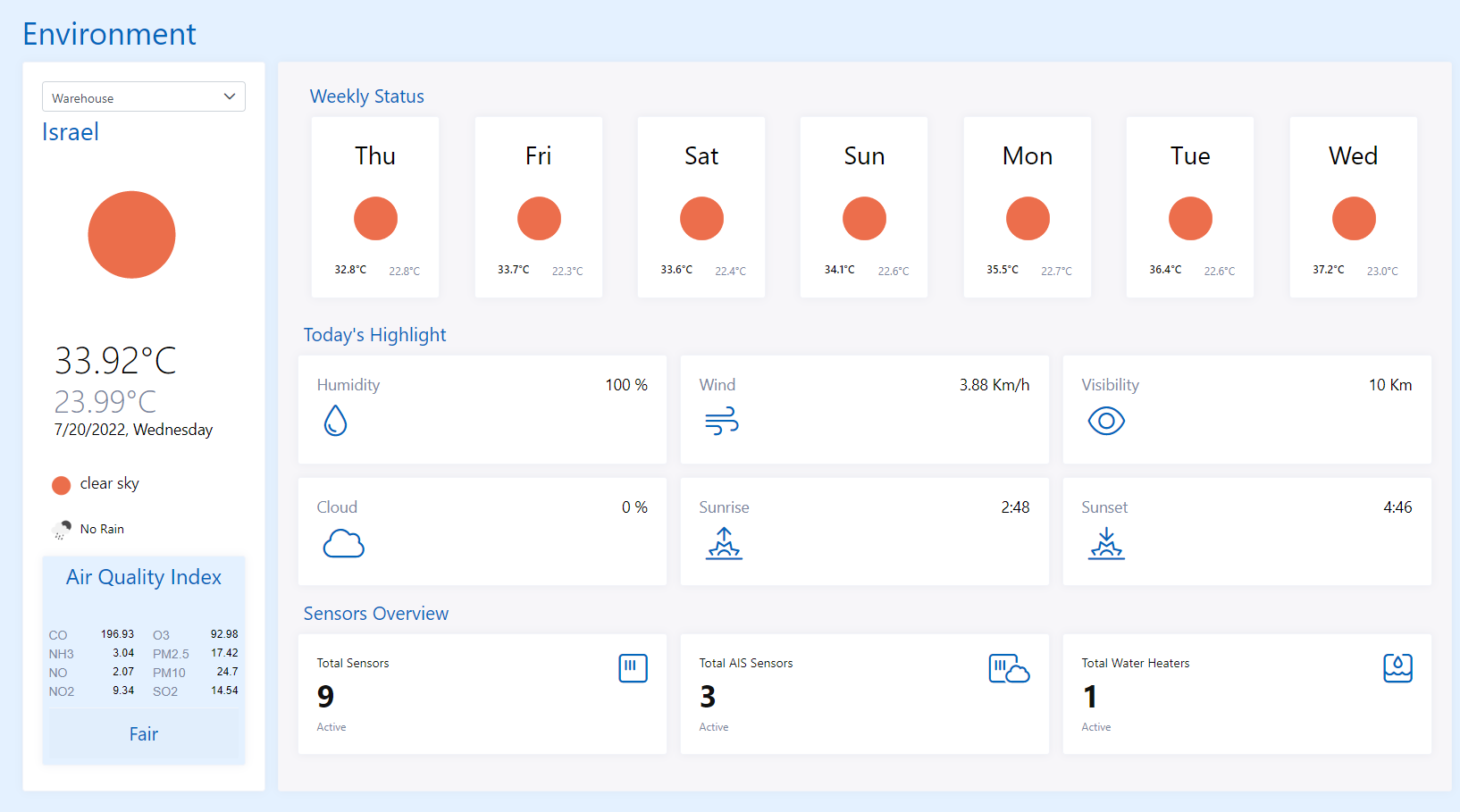
Environment
What in Environment?
Environment contains all the details for sensors and devices which are working in sync with surroundings such as Air Sensor, Water Heater, Water Meters, Garbage Meters & Weather Stations. Dashboard of Environment displays environment & weather details for selected location form the dropdown like AQI, temperature etc.
Sensors
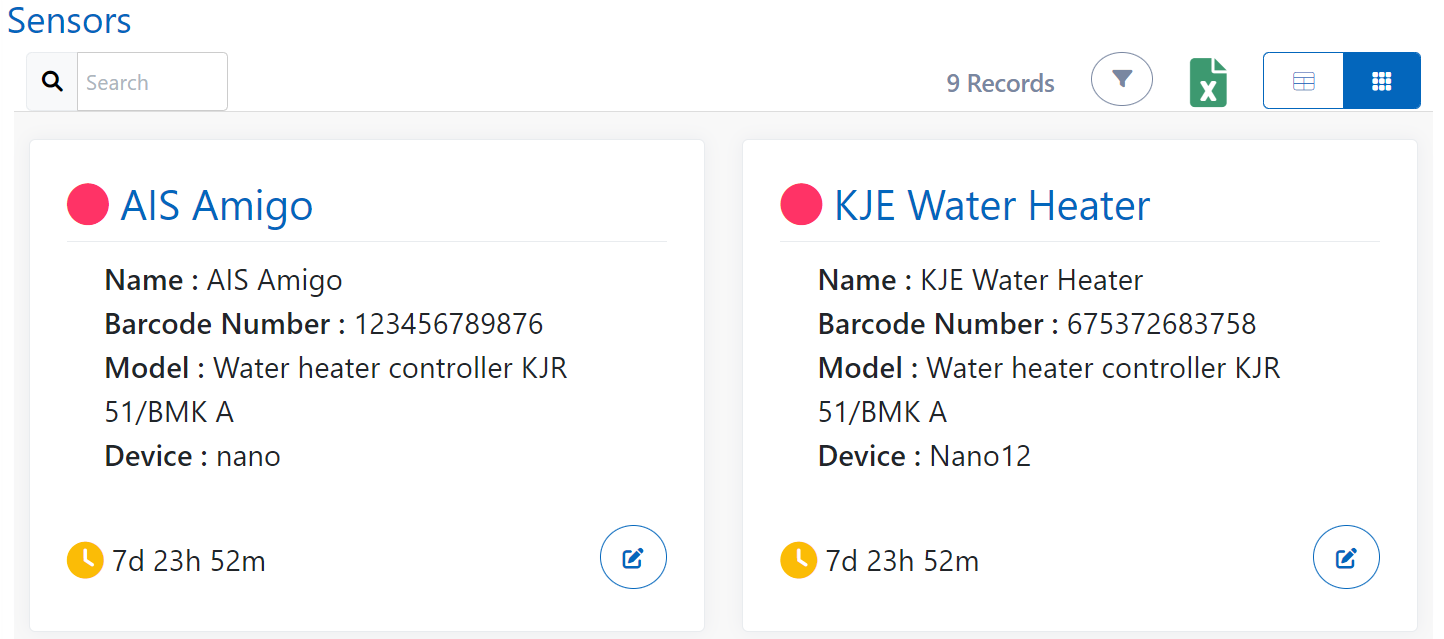
Sensors contains list of all the sensors which were installed up until now in the application related to environment. You can switch to card view also.
Sensor Map
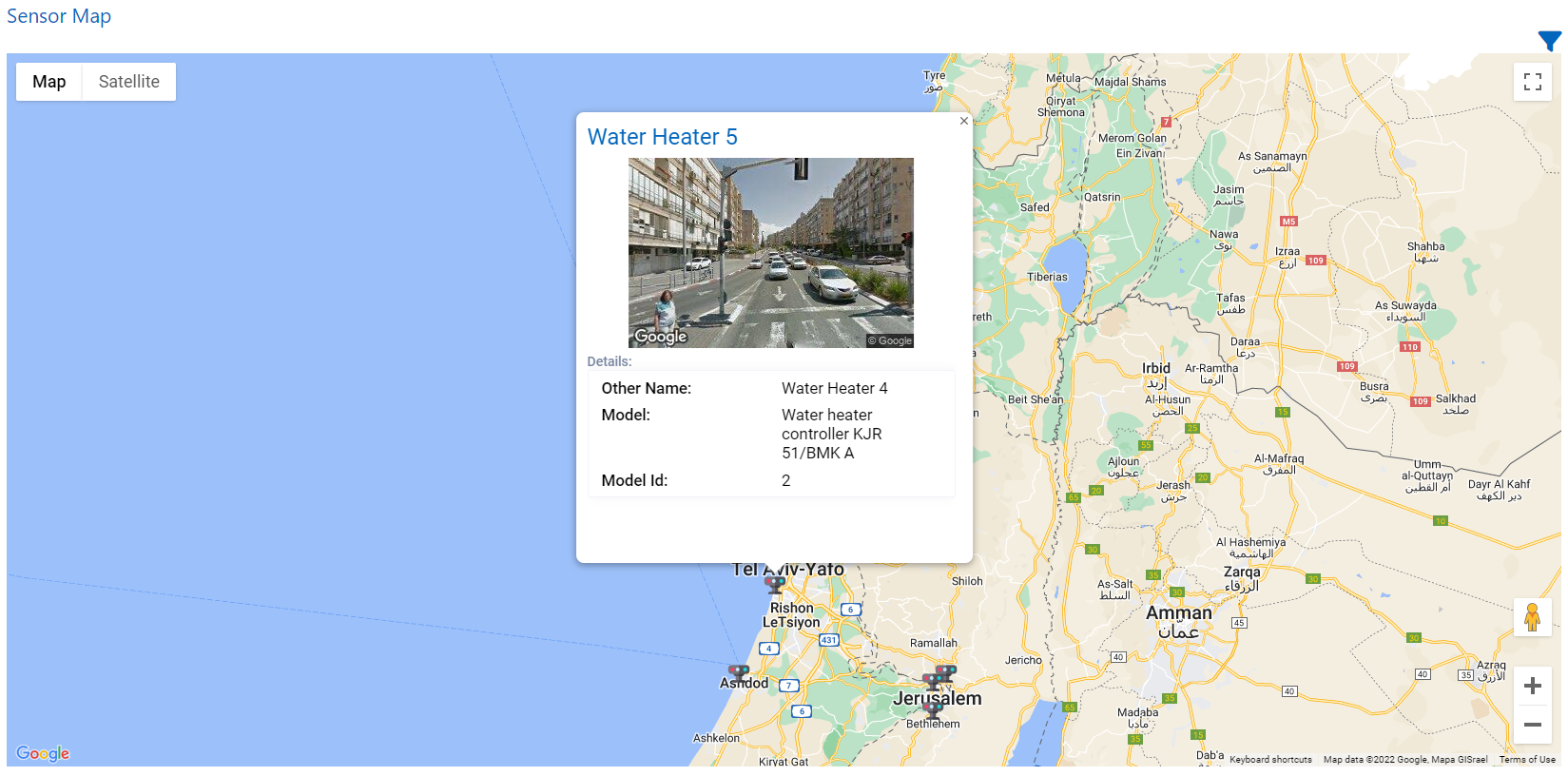
You can see all the sensors installed on the map and can view their related information by clicking on the sensor icon in map or can just filter the sensors by their names.
AIS Sensor
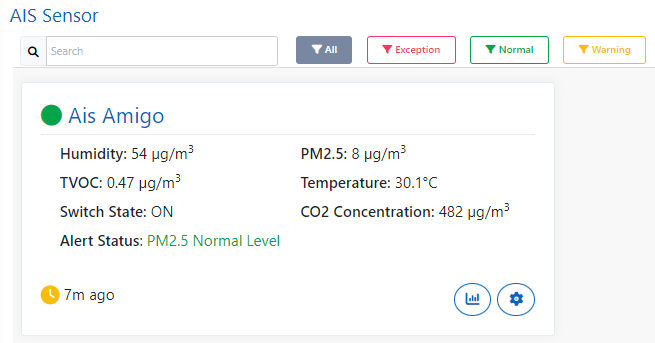
Here, you can see list of AIS Sensors. AIS Sensor is a type of air sensor which gives the air quality parameters such as Temperature, CO2 concentration, Humidity, PM2.5, TVOC.
Set Alerts for PM2.5 Values
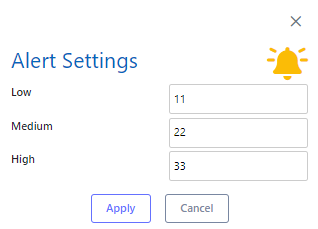
You can also add alert settings for low, medium and high values of PM2.5 so that precaution measures can be taken in that area respectively.
Water Heater
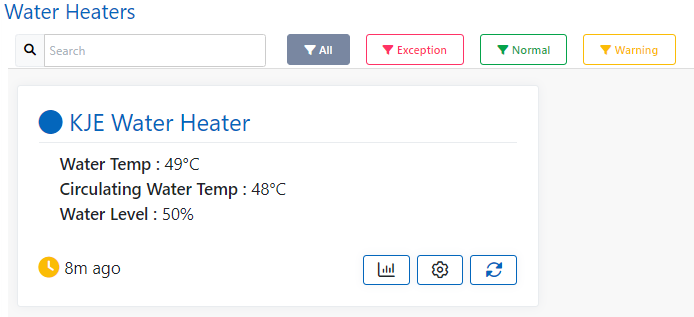
You can see list of Water Heater Controllers in this screen. Water heater controller helps to control the water heater setup at a remote location.
Manage Water Heater Controller Settings
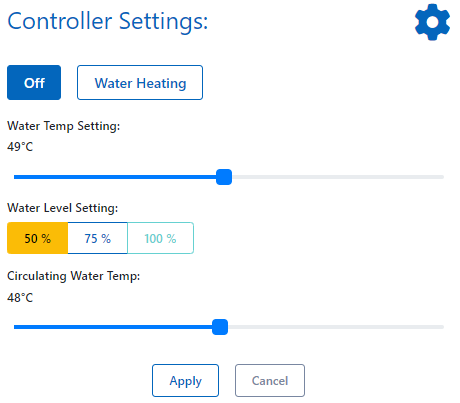
You can manage the water heater settings to switch on/off the water heating, its temperature for heating, control the water level, circulating water temperature.
Water Meters
Water Meter measures the quantity of water passing thorugh the pipe. Water Meter shows you the details for your water consumptuion, daily average, monthly average, minimum limit, maximum limit, position of Water meter on map (latitude and longitude).
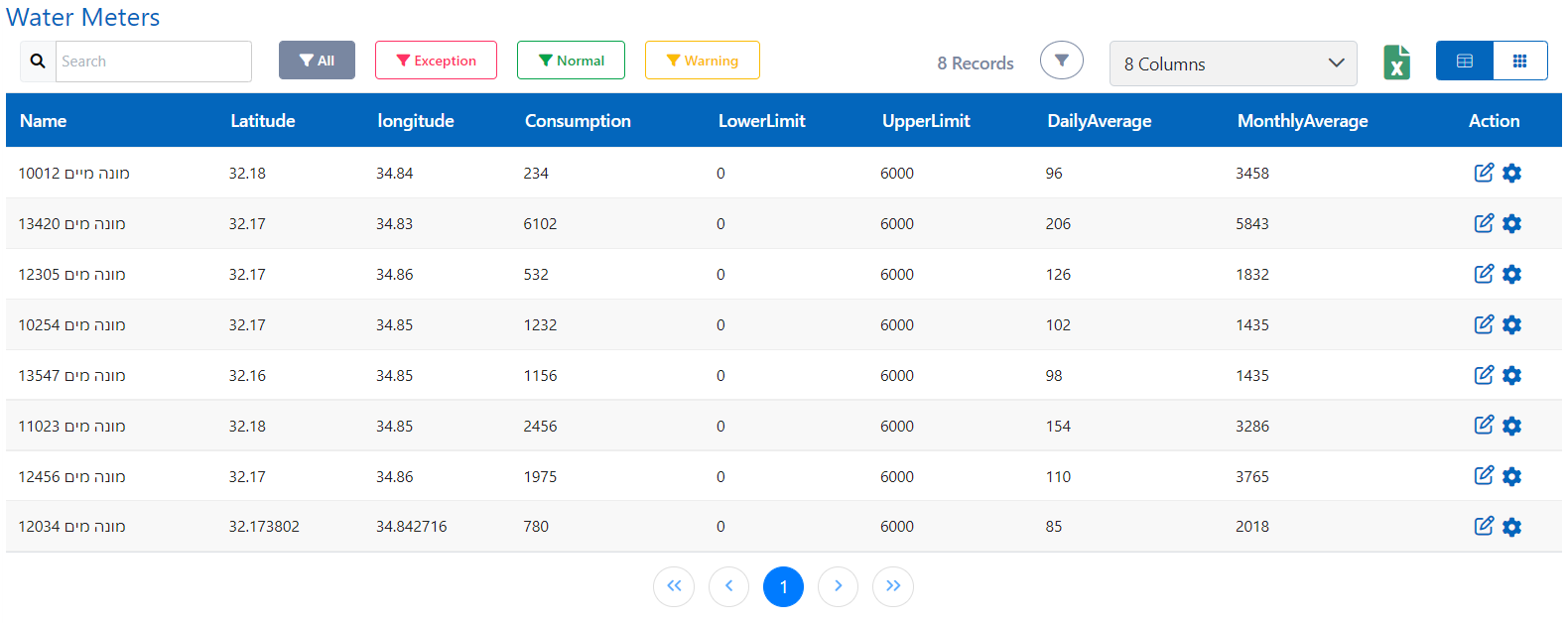
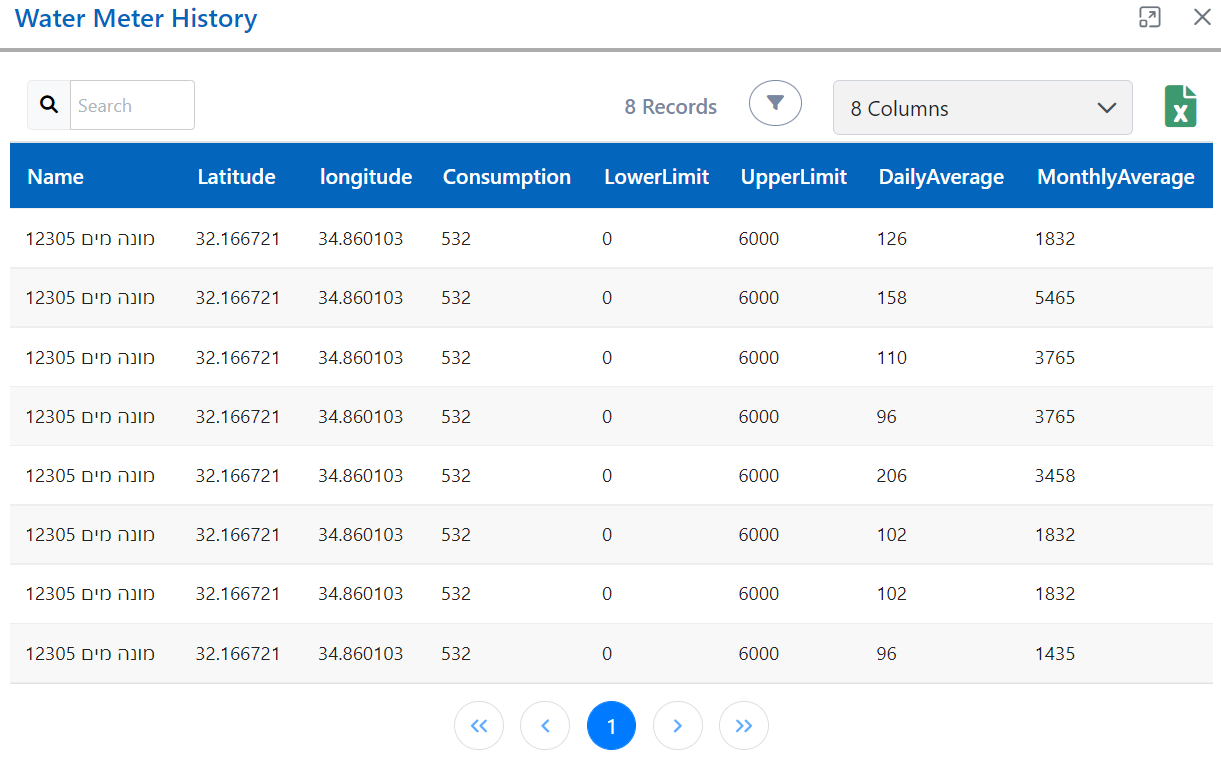
View Past Readings of the Water Meter
And you can see past readings also for your water meter just by clicking on history.
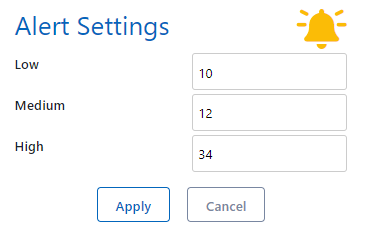
You can also set Alert Settings for Water Meter in the same way, you did it for AIS Sensor PM2.5 values. Here, it can be for water consumption alert.
Garbage Meters
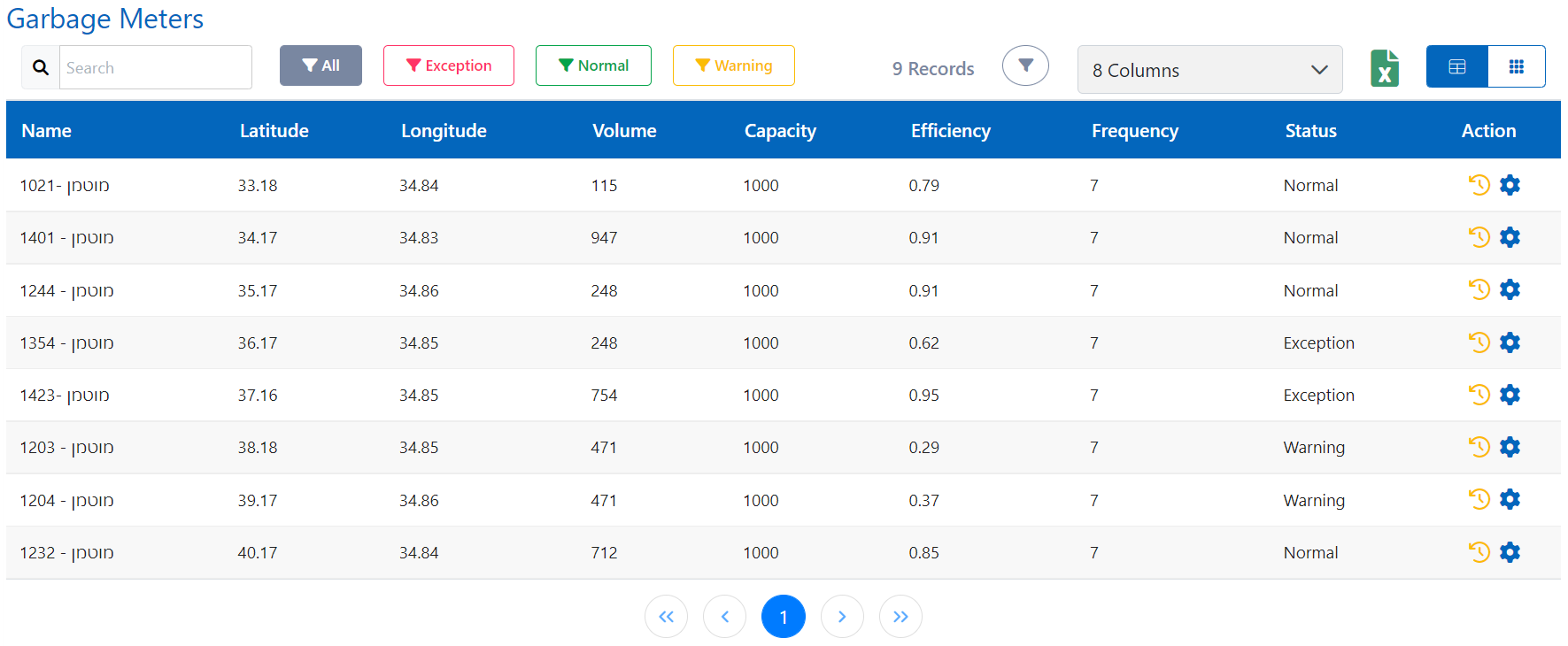
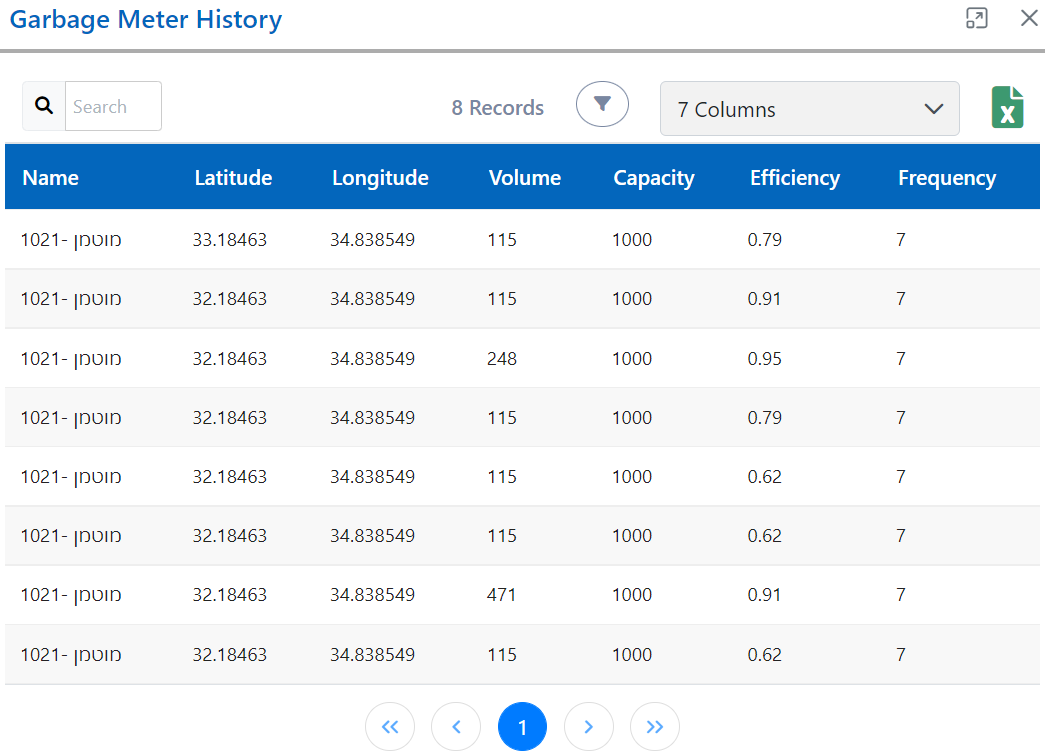
You can see the list of Garbage Meters with the:-
- Volume - volume filled with garbage,
- Capacity,
- Efficiency,
- Frequency,
- Status - current situation of the garbage meter,
- Position of garbage meter on map (latitude and longitude)
Hence, whenever a garbage bin is about to be filled up, i.e., in warning Status then send the team to clean it and make it empty.
You can also see past records of the garbage meter in the same manner.
Weather
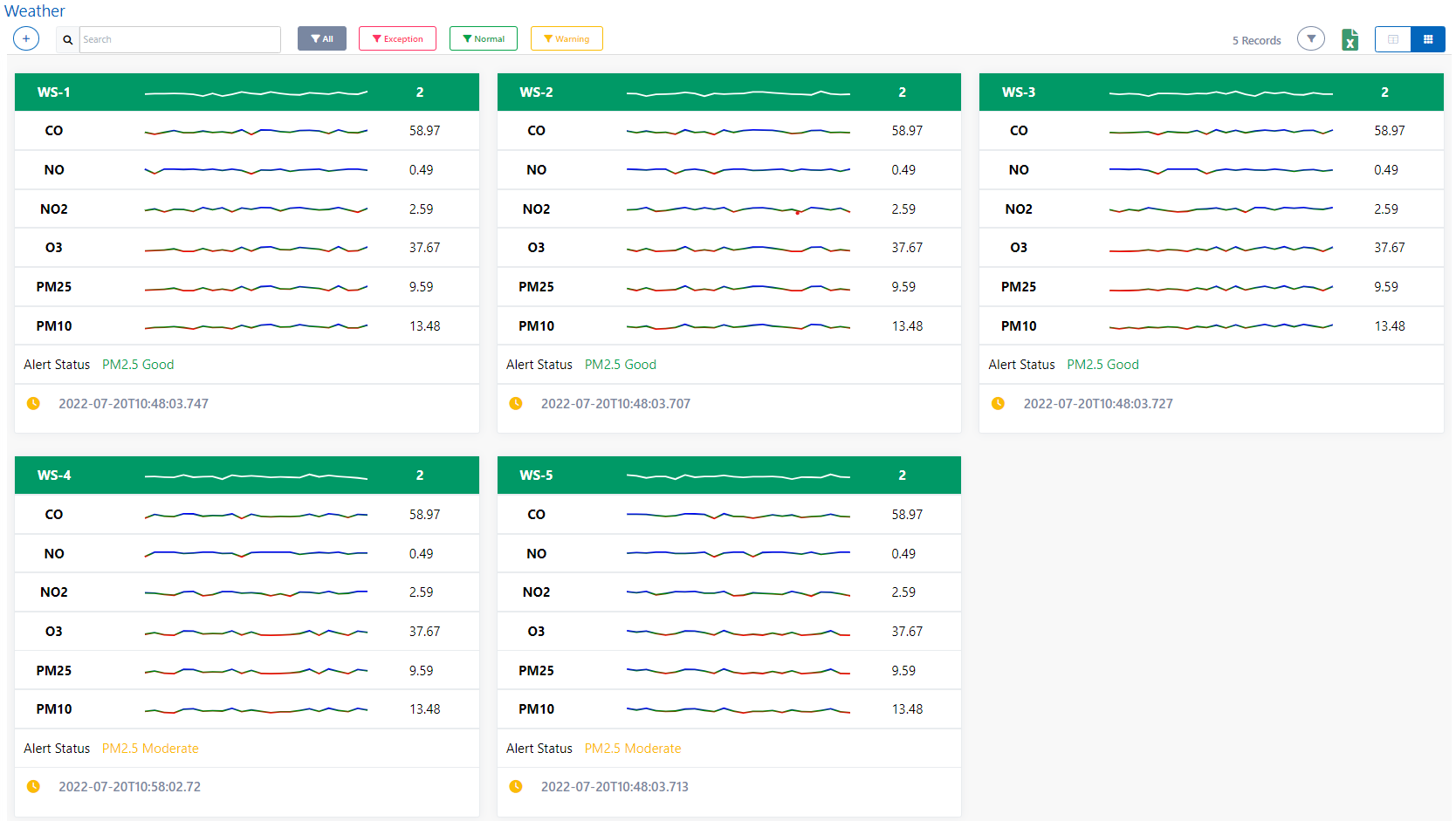
Weather contains a list of weather stations which were added earlier and their respective weather parameters such as AQI, CO, NO, NO2, O3, PM2.5, PM10 concentrations, alert on the basis of PM2.5 value and the last time when these parameters updated.
How to add a Weather Station?
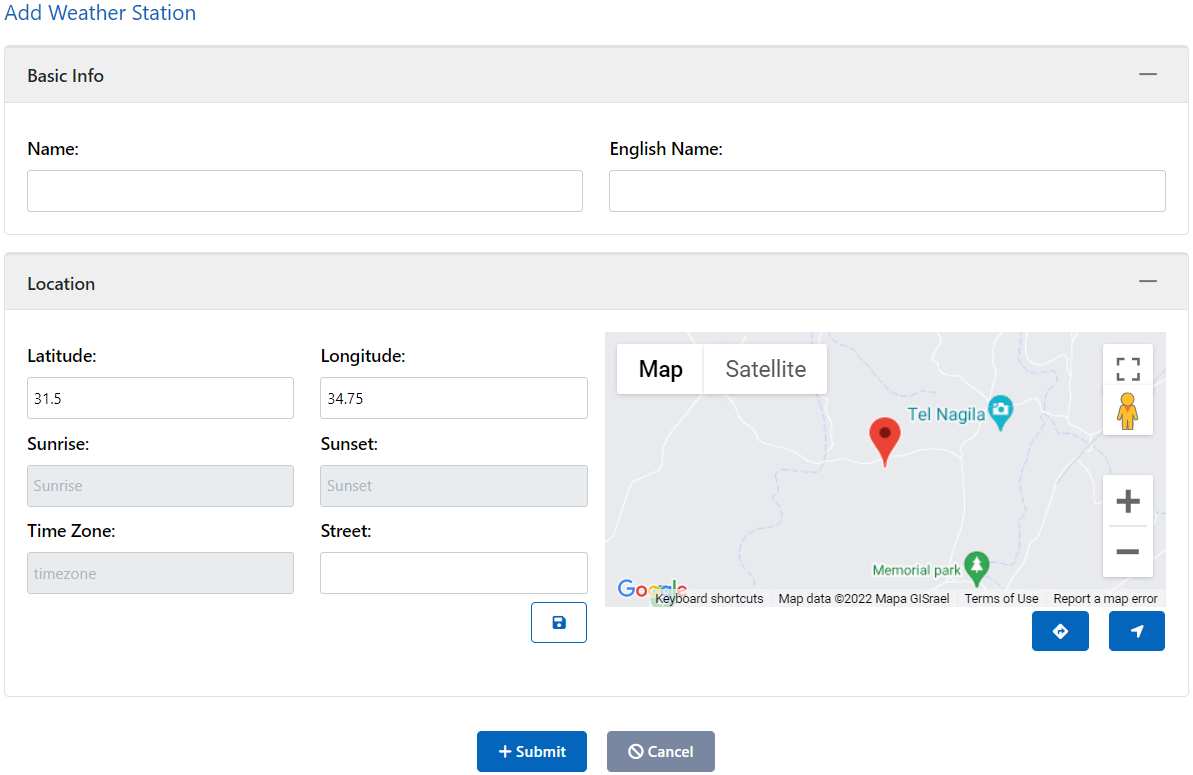
You can add a weather station very simply, just click add and give it a name in your local language and in english language and select the location in the map and submit. Your weather station has been added and now you can see that location's weather parameters.
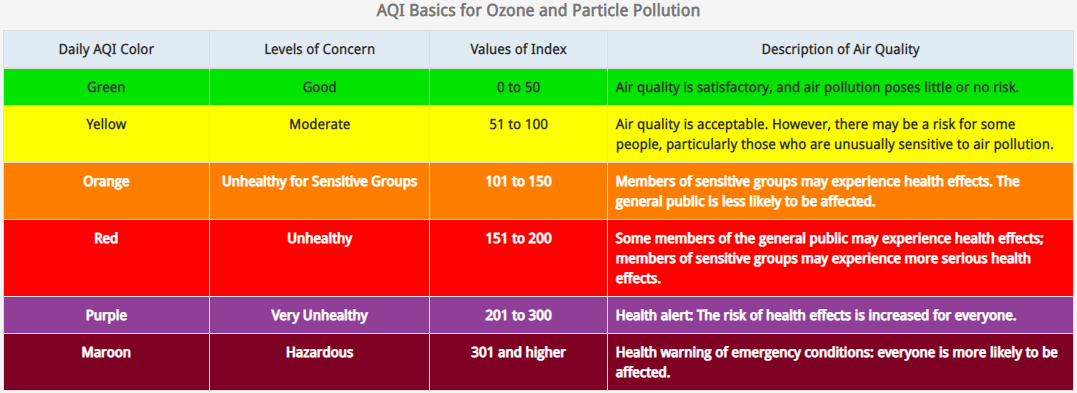
What are standard AQI values represent?