Inventory
What is Inventory?
You must be thinking "What is Inventory" or "What does it mean" or "What is its role."
It means the list of:
- products or materials purchased
- companies with which we deal
- warehouses or storage record
- exchange of goods between two warehouses

What are Inventory Items?
Inventory Items means all the products which we offer to provide service of such as power box, power meter, gateways, drivers, gateways etc. You can see the list of all the items which were provided by Smart application or provided services for different customers at different locations.
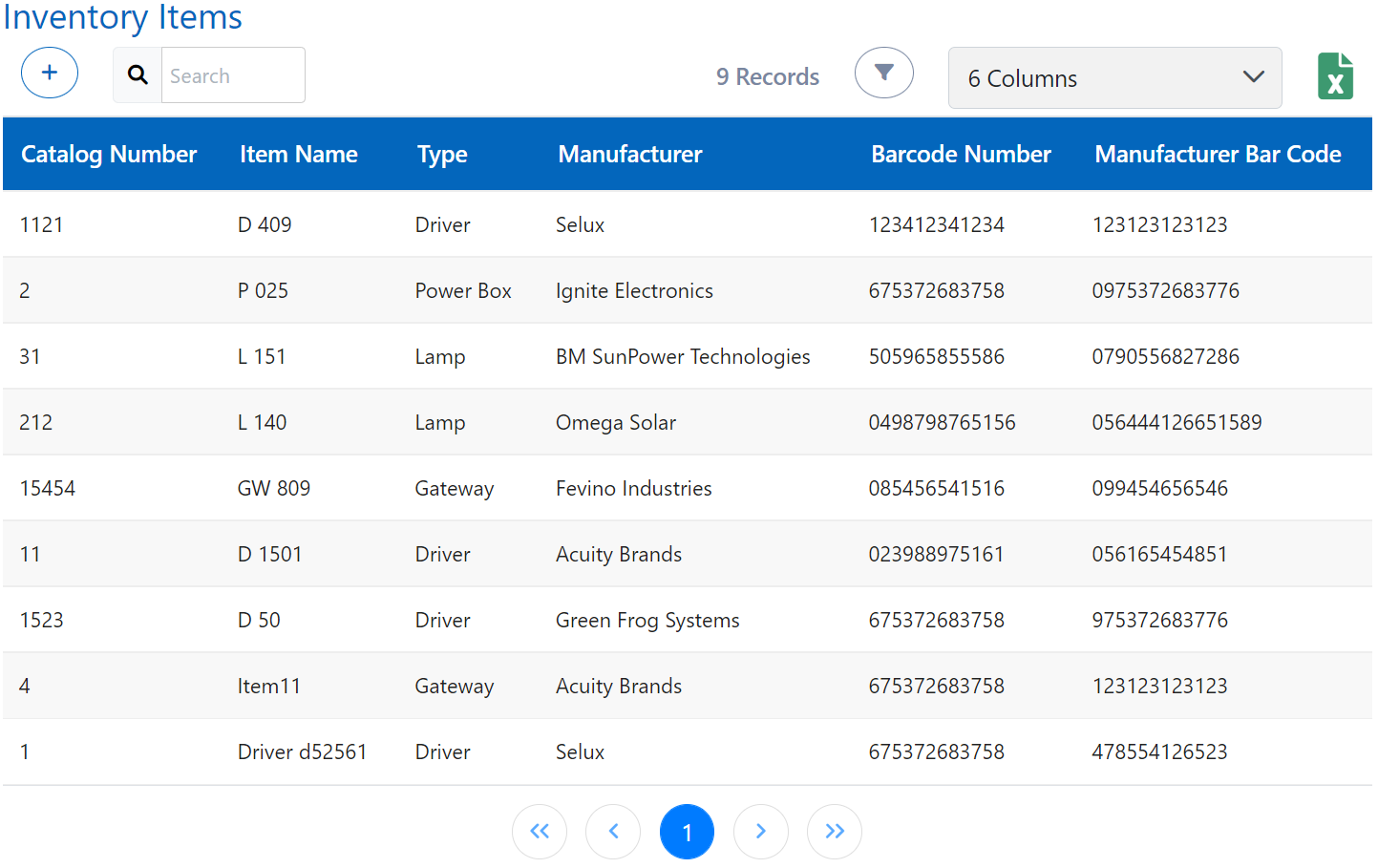
How to add an inventory item?
To add a new Inventory Item, use Add option in Inventory Items.
Data required for adding item is:
Basic Information: Catalog no, Item name, type, manufacturer (Company registered as a manufacturer in Smart), barcode no (Set a barcode no), manufacturer barcode (barcode no provided from manufacturer), tags (select from predefined tags and if you want to give some remark then use free text)

To add more info of inventory item, add that inventory and submit it first. Then you can edit by clicking on that item to add more info.
Technical Information:
- Lamp: Model, Driver, Watt, Kelvin-Light color, Lumen, Nema socket (5 or 7), Zhaga socket, Cable Connector, Lamp Body Size
- Driver: Category, Input Voltage(Vac), Output Power(W), Output Voltage(V), Output Current(mA), Output Channels
- Gateway / Communication Unit: Control Type (Zigbee or DALI), Frequency 1, Frequency 2, GPS, Serial Protocols (RS-485 Modbus, Modbus TCP, Ethernet)



Warehouses: You will see the availability of the respective inventory item in the warehouses storage here (The quantity of inventory items can be added from the Warehouses menu in the sidebar)
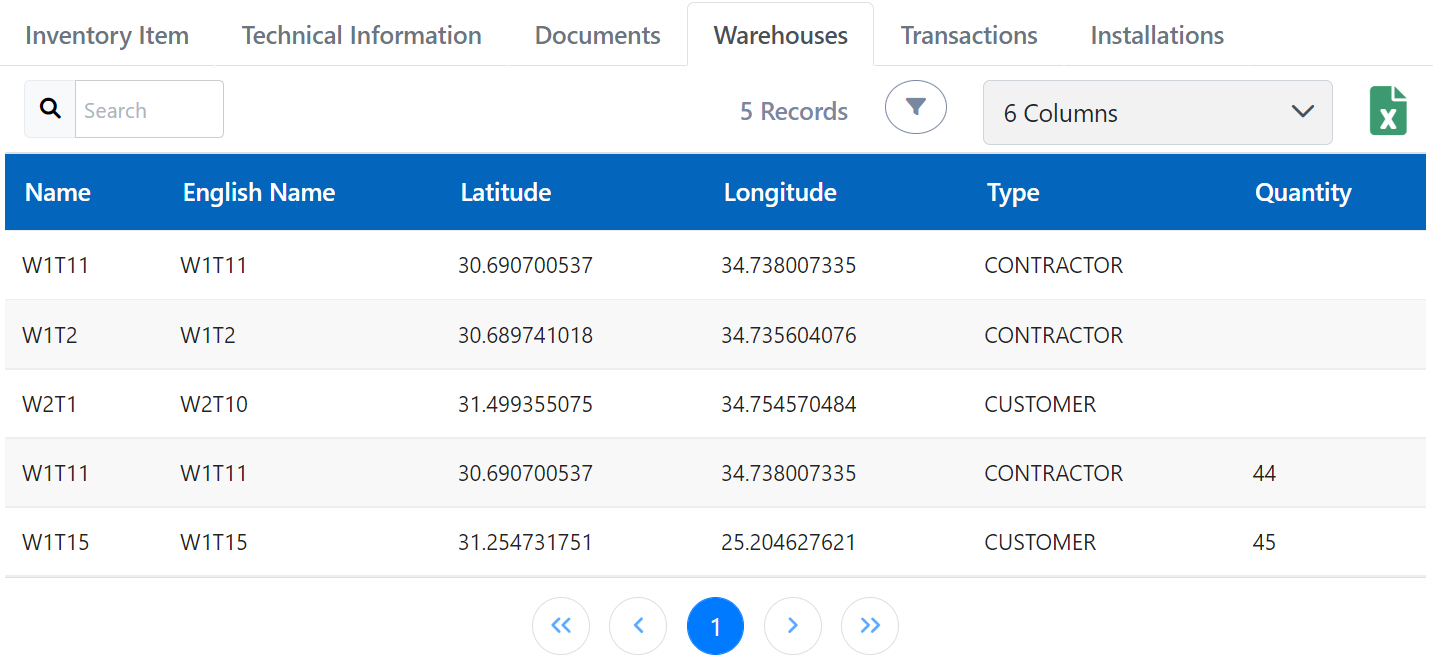
Documents: You can upload the documents related to the respective inventory item here
How to add a Manufacturer, Supplier, Contractor or Counsellor?
You can add any of these from add Company option, the data needed is company name and type (manufacturer, supplier, contractor or counsellor).

What are Warehouses?
Warehouses are the storages where we store our products and they are at different locations to make the installation process fast.
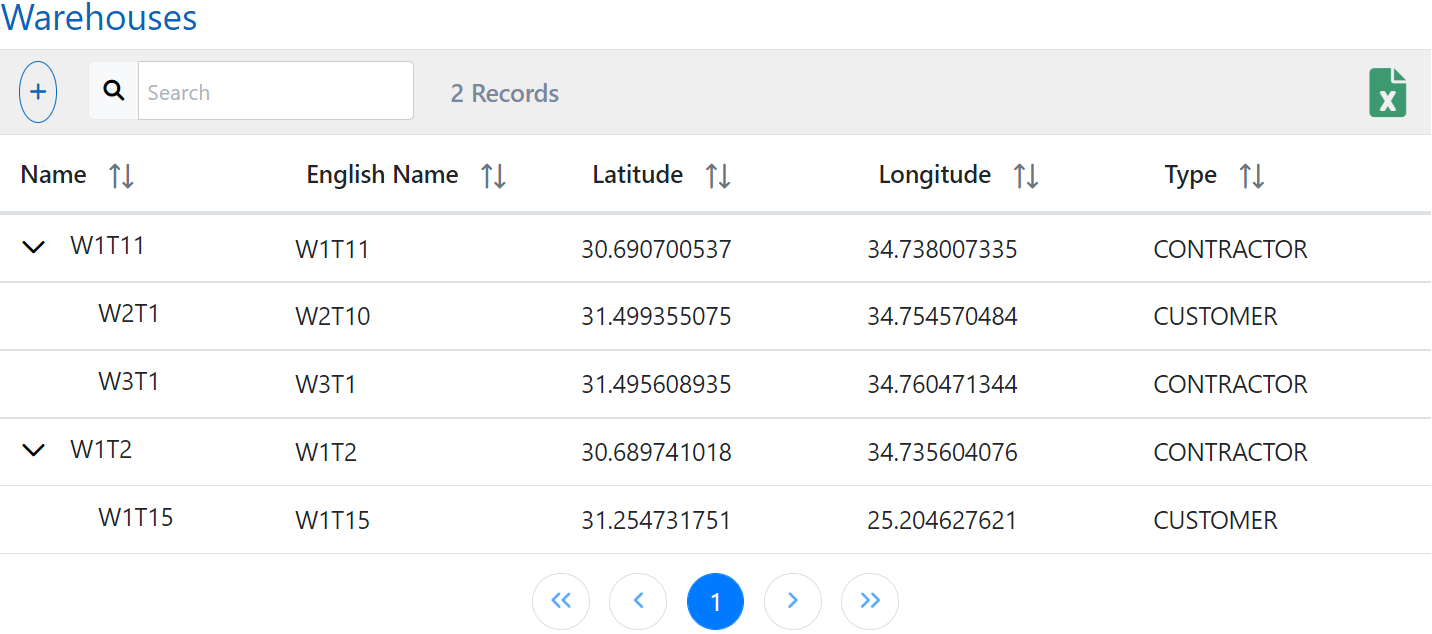
How to add a Warehouse?
Add a warehouse and input its basic information like name, parent (if it is subsidiary of other warehouses), warehouse type, and tags.
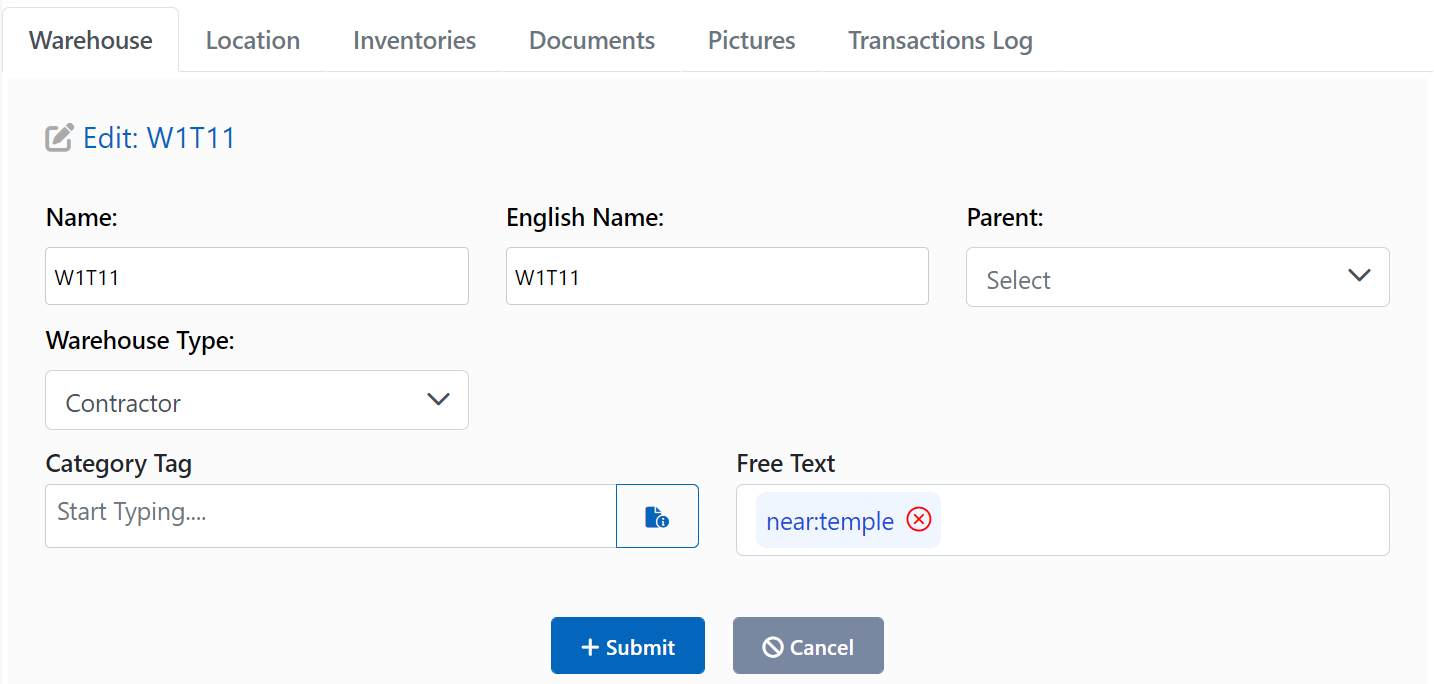
How to add other details of warehouse?
After adding warehouse, you need to provide more information of that warehouse like Location, Inventories (current stock of items present in that warehouse), Pictures (related to that warehouse), and Documents.

What are certificates?

You can transfer Inventory Items between warehouses, hence to officially keep a record of that exchange you use Certificates. You can issue a certificate of transfer of inventory between warehouses by add certificate option.
The information required is:
Certificate Info: Name, Status (New/Signed/Cancel), From Warehouse, To Warehouse, From Warehouse date
New refers to a newly issued transaction which is in progress.
Signed and Cancel refers to completed & cancelled transactions and details related to them are not editable.
Inventories Info: Item Selected, Item Selected Quantity
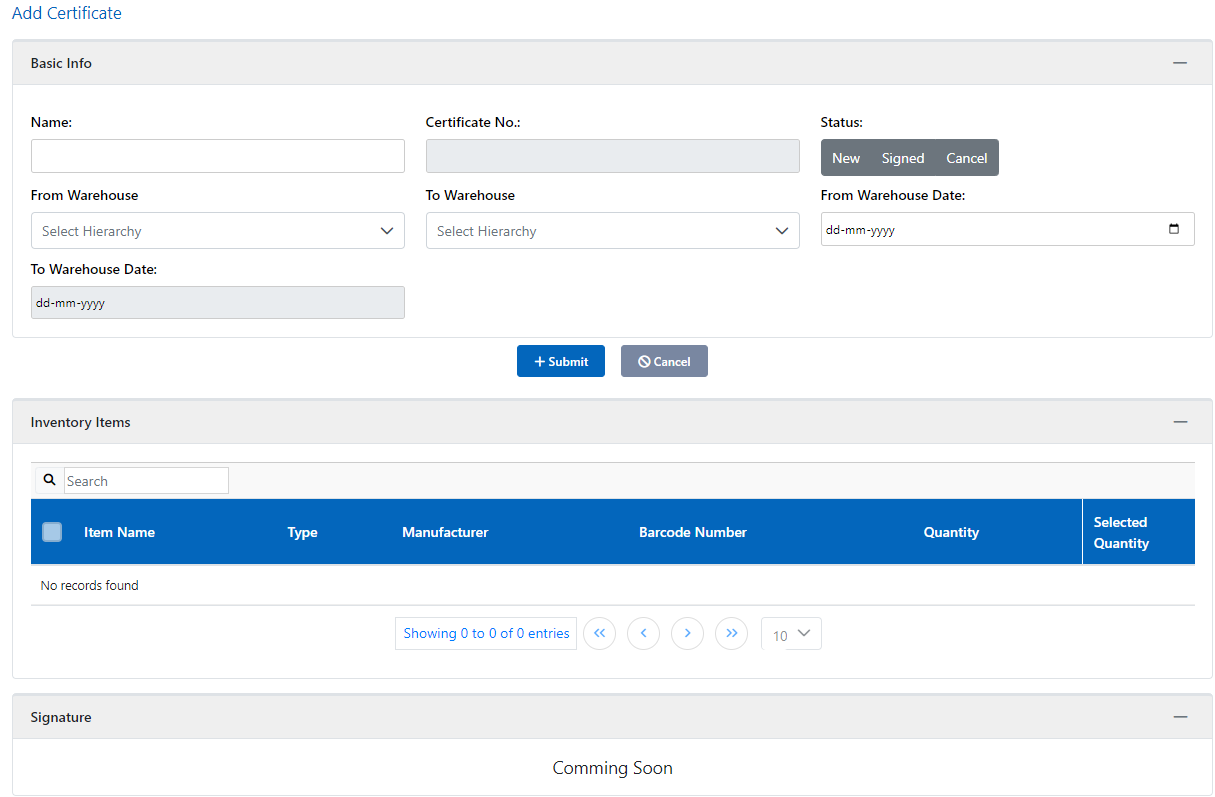
Quantity shows the current quantity of the respective inventory in the respective warehouse.